
Skip to content
HeyCaptions

Add subtitles to your video – automatically

Upload your video and HeyCaptions writes and times the subtitles for you. Edit them like a document, choose how they look and download your video with subtitles in minutes.

Drop your video here

MP4, MOV, WEBM, MP3, WAV and more · up to 500 MB · 30 min

Your file is deleted automatically when you are done.

  • 100% free
  • No watermark
  • No sign-up
  • Auto-deleted

How it works

  1. 1

    Upload your video

    Drop a file or pick one from your phone. MP4, MOV, WEBM and more.

  2. 2

    AI does the timing

    Your speech is transcribed and every single word is timed automatically.

  3. 3

    Style & download

    Choose a style, fix any word and download your MP4 or SRT file.

Caption styles that keep viewers watching

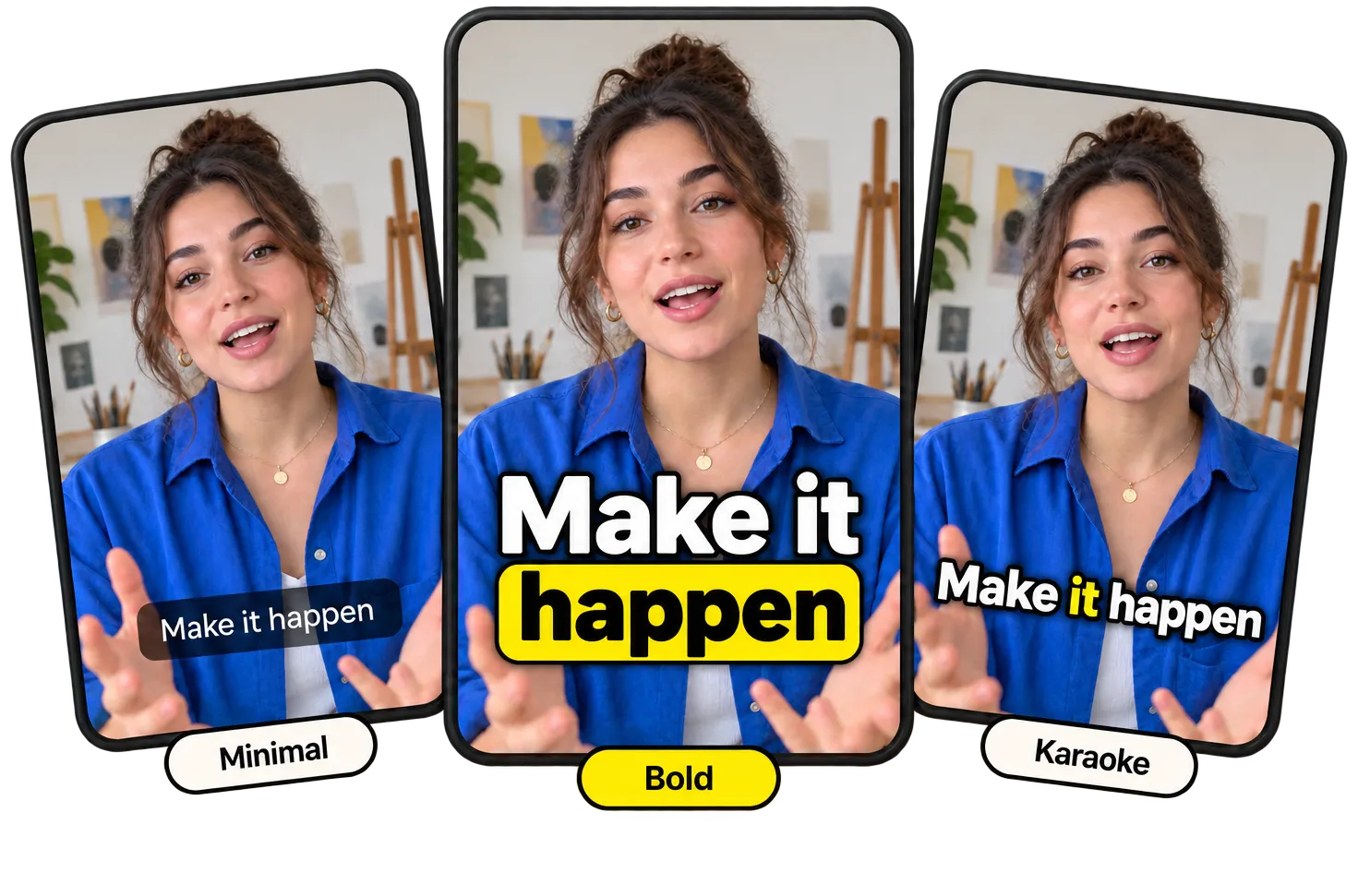
From clean subtitles to bold, word-by-word animations. Every style works in all 99 languages and you can change fonts, colors and position.

  • Bold
  • Viral
  • Karaoke
  • Classic
  • Minimal
  • Boxed
  • Comic
  • Neon
  • Reveal
  • Cinema
  • Marker
Upload video
From clean subtitles to bold, word-by-word animations. Every style works in all 99 languages and you can change fonts, colors and position.
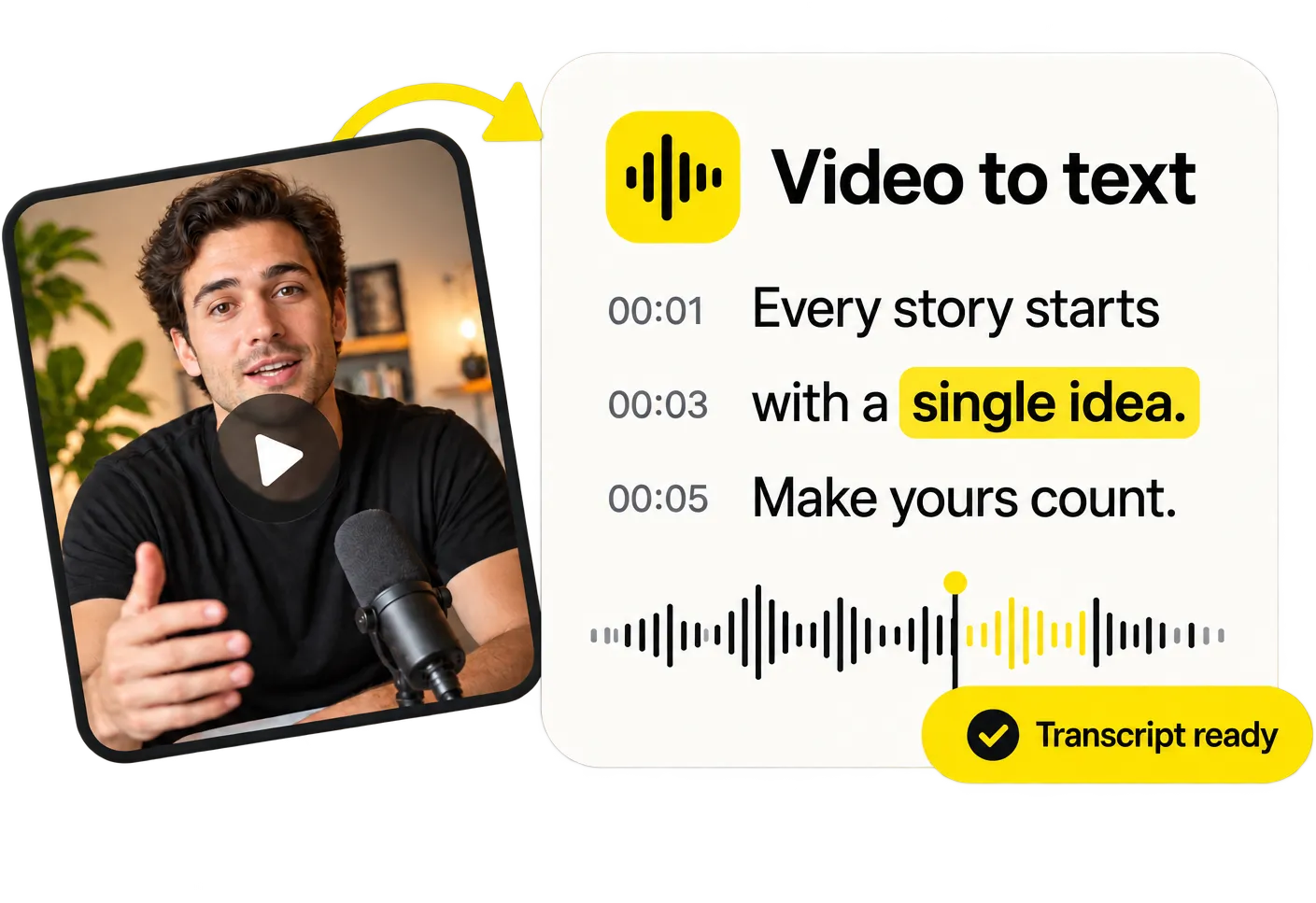
Video to text, in seconds

Video to text, in seconds

Need the words, not the captions? Get a full transcript with timestamps from any video or audio file and copy it with one click.

Transcribe a video
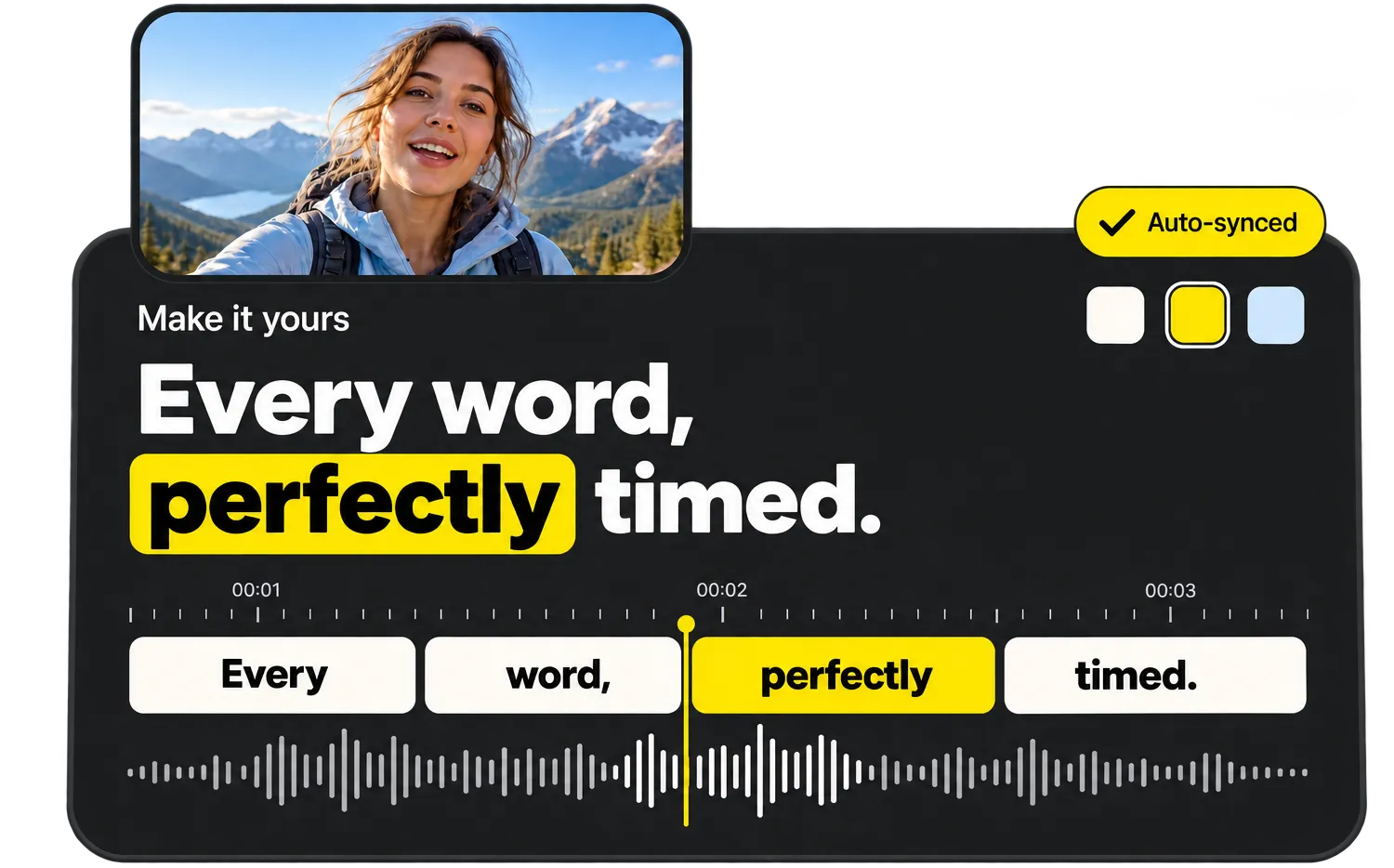
Every word, perfectly timed

Every word, perfectly timed

Tap a caption to jump to it, fix a word or highlight the important ones. Every change shows up instantly in the live preview.

Try the editor

Everything you need, nothing you don’t

  • Word-perfect auto timing

    Every word gets its own timestamp, so captions appear exactly when they are spoken.

  • Styles that go viral

    Bold, Karaoke, Viral, Neon, Boxed and more – made for TikTok, Reels and Shorts.

  • 99 languages

    Automatic language detection, from English and Spanish to Turkish and Japanese.

  • Edit like a document

    Fix any word in seconds and highlight the words that matter.

  • MP4, SRT, VTT & TXT

    Download a captioned video or subtitle files for any platform.

  • Private & auto-deleted

    Files are processed on our own servers and deleted as soon as you are done.

How to put subtitles on a video

Adding subtitles by hand means typing everything you hear and setting a start and end time for every line. HeyCaptions does both automatically: the speech in your video is converted to text and split into readable subtitle lines of the right length, each one perfectly synchronized with the audio.

You stay in control. Correct names or technical terms in the Text tab, change the font, size and position, and watch the result in the live preview before you download.

Burned-in subtitles or a subtitle file?

Choose “Download video” to get an MP4 with the subtitles burned into the picture – they show up everywhere, including Instagram and messaging apps. Choose SRT or VTT if viewers should be able to switch subtitles on and off, for example on YouTube or in your own video player.

Frequently asked questions

What is the easiest way to add subtitles to a video for free?

Use an automatic subtitle generator like HeyCaptions. It’s free, needs no account and doesn’t add a watermark: upload, review the text and download.

Will the subtitles be in sync with the audio?

Yes. Every word gets its own timestamp from the speech recognition model, so subtitles appear exactly when the words are spoken.

Can I add subtitles in the language spoken in my video?

Yes, HeyCaptions creates subtitles in the spoken language and recognizes 99 languages, including English, Spanish, German, French, Portuguese, Italian, Dutch, Polish and Turkish.

Is HeyCaptions really free?

Yes, 100% free. No sign-up, no watermark and no paid “export” step.

What happens to my video?

Your file is only used to create your captions. It is processed on our own servers and permanently deleted as soon as you are done – at the latest 30 minutes after your last activity. We never use your files for anything else.

Which languages are supported?

HeyCaptions recognizes 99 spoken languages, including English, Spanish, German, French, Portuguese, Italian, Dutch, Polish, Turkish, Japanese, Korean, Chinese, Hindi and Arabic. The language is detected automatically.

Are there any limits?

Files can be up to 500 MB and 30 minutes long. MP4, MOV, WEBM, MKV, AVI, MP3, WAV, M4A and most other formats work.

Does it work on my phone?

Yes. HeyCaptions works in any modern browser on iPhone, Android, tablets and computers – no app needed.

Ready to caption your video?

It’s free, it’s fast and there’s no watermark.

Upload video