
Skip to content
HeyCaptions

A free CapCut captions alternative

All you want is great auto captions? HeyCaptions does exactly that – in your browser, with no app to install, no account and no watermark.

Drop your video here

MP4, MOV, WEBM, MP3, WAV and more · up to 500 MB · 30 min

Your file is deleted automatically when you are done.

  • 100% free
  • No watermark
  • No sign-up
  • Auto-deleted

How it works

  1. 1

    Upload your video

    Drop a file or pick one from your phone. MP4, MOV, WEBM and more.

  2. 2

    AI does the timing

    Your speech is transcribed and every single word is timed automatically.

  3. 3

    Style & download

    Choose a style, fix any word and download your MP4 or SRT file.

Caption styles that keep viewers watching

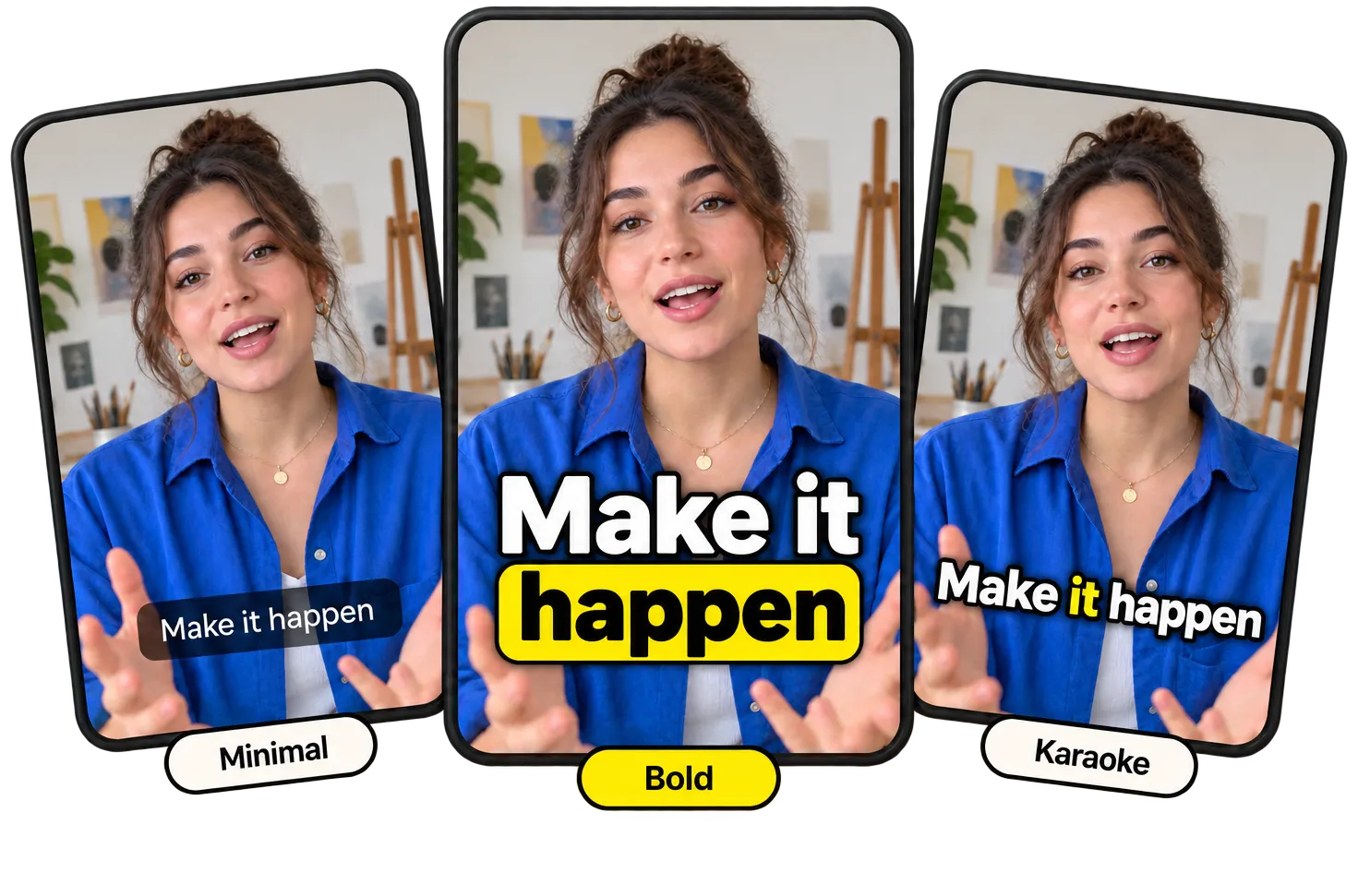
From clean subtitles to bold, word-by-word animations. Every style works in all 99 languages and you can change fonts, colors and position.

  • Bold
  • Viral
  • Karaoke
  • Classic
  • Minimal
  • Boxed
  • Comic
  • Neon
  • Reveal
  • Cinema
  • Marker
Upload video
From clean subtitles to bold, word-by-word animations. Every style works in all 99 languages and you can change fonts, colors and position.
Video to text, in seconds

Video to text, in seconds

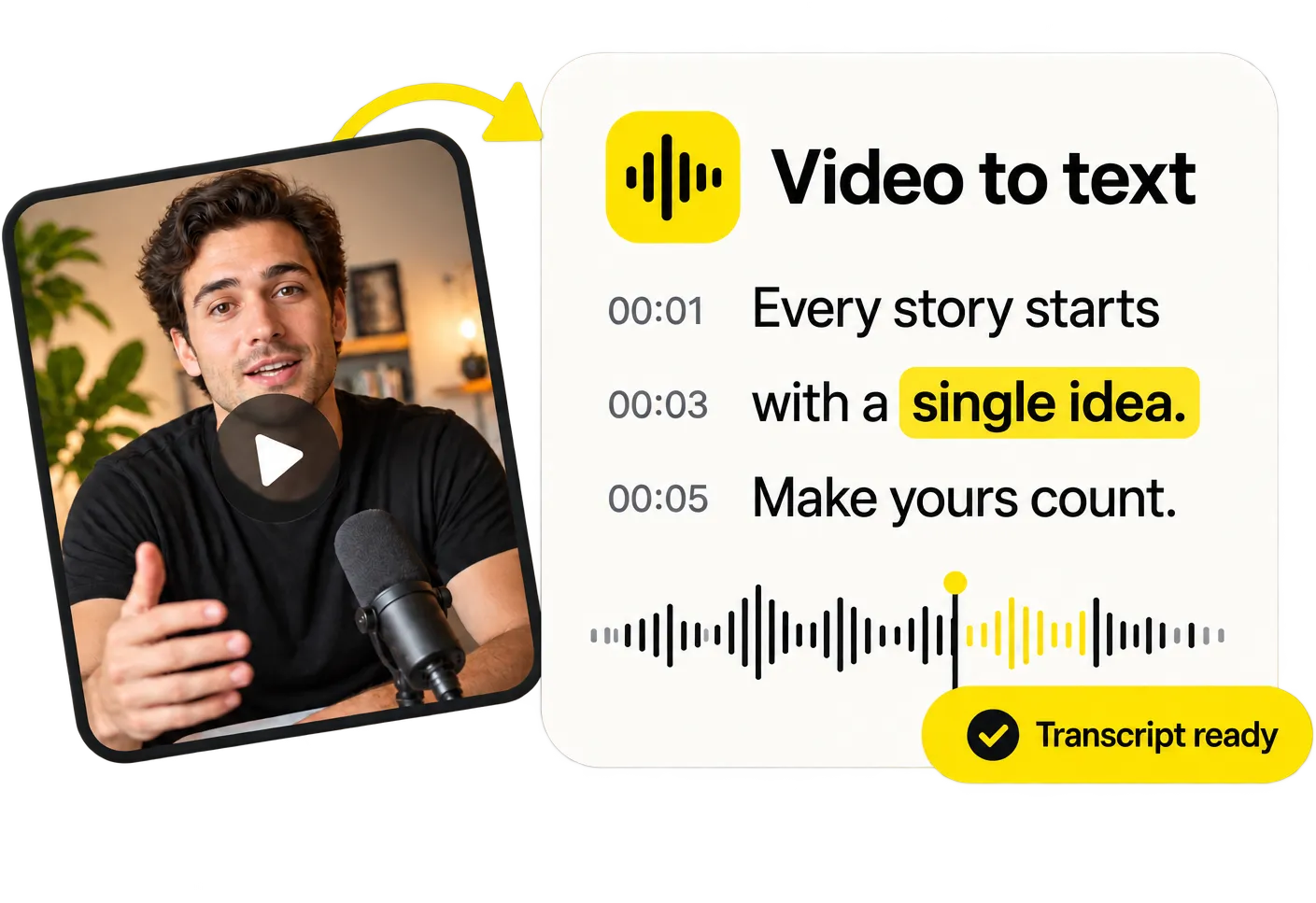
Need the words, not the captions? Get a full transcript with timestamps from any video or audio file and copy it with one click.

Transcribe a video
Every word, perfectly timed

Every word, perfectly timed

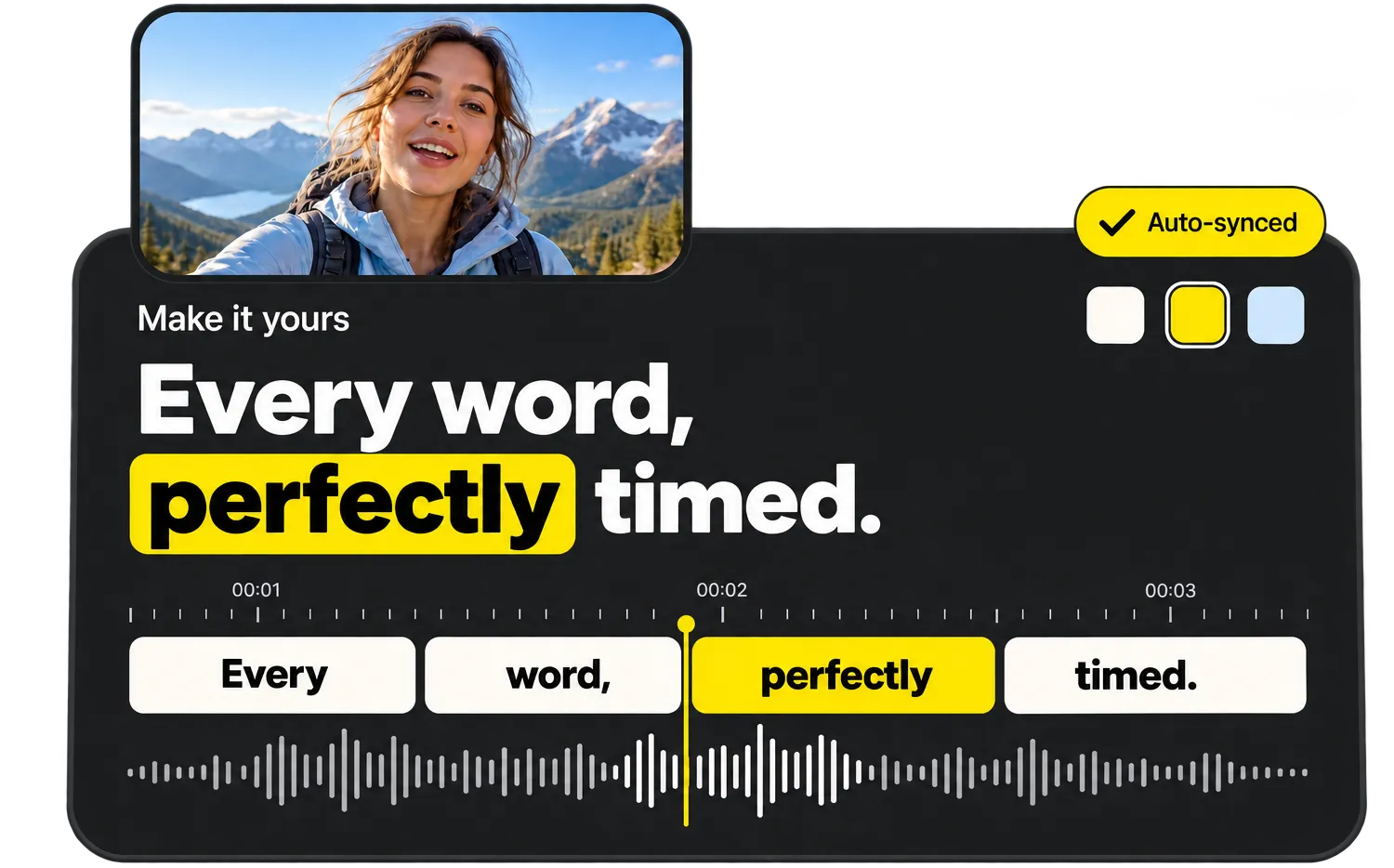
Tap a caption to jump to it, fix a word or highlight the important ones. Every change shows up instantly in the live preview.

Try the editor

Everything you need, nothing you don’t

  • Word-perfect auto timing

    Every word gets its own timestamp, so captions appear exactly when they are spoken.

  • Styles that go viral

    Bold, Karaoke, Viral, Neon, Boxed and more – made for TikTok, Reels and Shorts.

  • 99 languages

    Automatic language detection, from English and Spanish to Turkish and Japanese.

  • Edit like a document

    Fix any word in seconds and highlight the words that matter.

  • MP4, SRT, VTT & TXT

    Download a captioned video or subtitle files for any platform.

  • Private & auto-deleted

    Files are processed on our own servers and deleted as soon as you are done.

Captions without a full video editor

CapCut is a powerful video editor, but if you only need captions, a full editing app is often more than you need. HeyCaptions focuses on one job: turning speech into perfectly timed, stylish captions.

Upload your clip, choose a style like Bold, Karaoke or Viral, fix any word and download the MP4. It works on any phone or computer, with nothing to install.

What you get

Word-by-word timing in 99 languages, eleven caption styles with custom fonts and colors, SRT and VTT export, and automatic deletion of your files. CapCut is a trademark of its respective owner; HeyCaptions is not affiliated with it.

Frequently asked questions

Do I need to download an app?

No. HeyCaptions runs in Safari, Chrome, Firefox and Edge on phones and computers.

Can I use CapCut and HeyCaptions together?

Of course. Many creators edit their video in CapCut and add captions with HeyCaptions afterwards – or the other way around.

Can I edit the captions?

Yes. Fix any word, highlight key words and change the style before you download.

Is HeyCaptions really free?

Yes, 100% free. No sign-up, no watermark and no paid “export” step.

What happens to my video?

Your file is only used to create your captions. It is processed on our own servers and permanently deleted as soon as you are done – at the latest 30 minutes after your last activity. We never use your files for anything else.

Which languages are supported?

HeyCaptions recognizes 99 spoken languages, including English, Spanish, German, French, Portuguese, Italian, Dutch, Polish, Turkish, Japanese, Korean, Chinese, Hindi and Arabic. The language is detected automatically.

Are there any limits?

Files can be up to 500 MB and 30 minutes long. MP4, MOV, WEBM, MKV, AVI, MP3, WAV, M4A and most other formats work.

Does it work on my phone?

Yes. HeyCaptions works in any modern browser on iPhone, Android, tablets and computers – no app needed.

Guides & tips

Ready to caption your video?

It’s free, it’s fast and there’s no watermark.

Upload video